




Design → Diagram → Bicep → Deploy — all from natural language
Azure Architecture Autopilot designs Azure infrastructure from natural language,
generates interactive diagrams, produces modular Bicep templates, and deploys — all through conversation.
It also scans existing resources, visualizes them as architecture diagrams, and refines them on the fly.
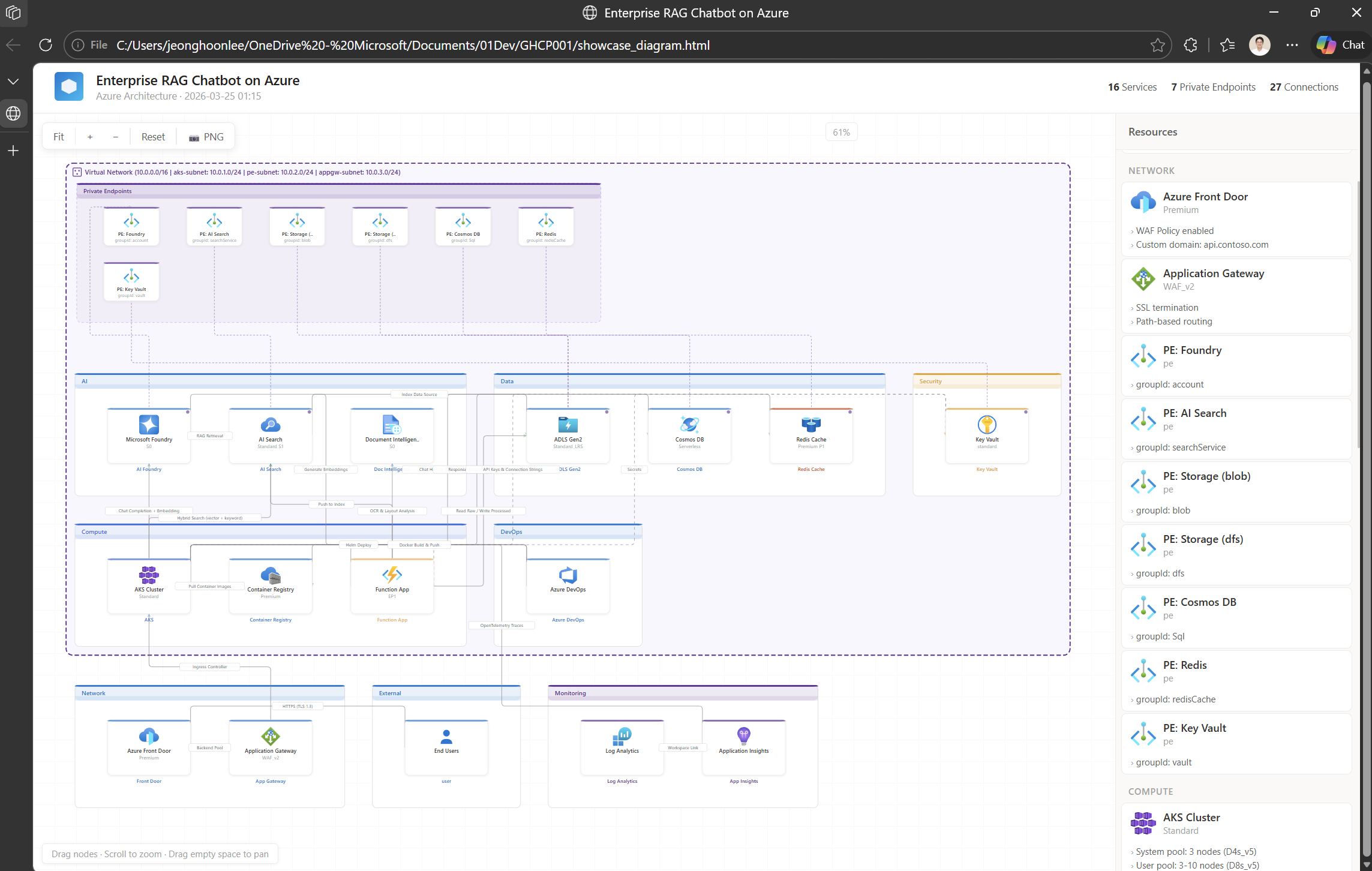
↑ Auto-generated interactive diagram — drag, zoom, click for details, export to PNG
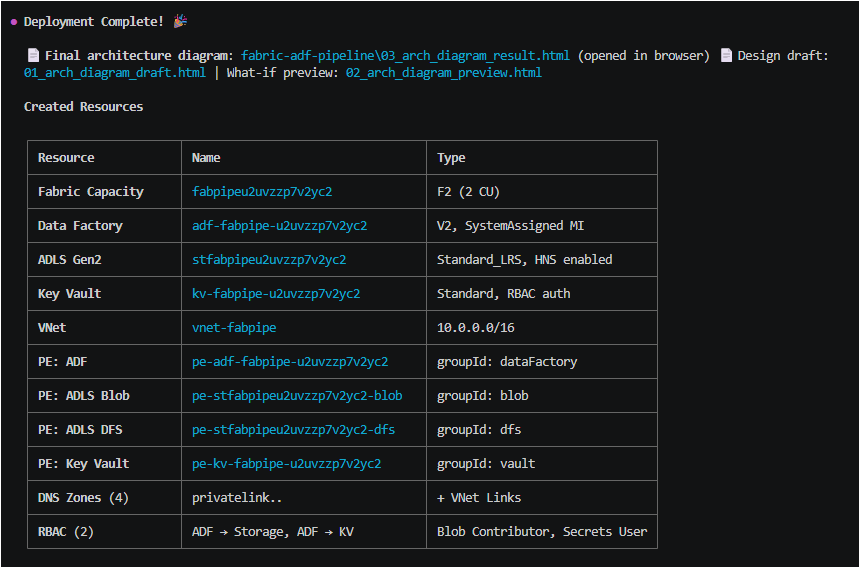
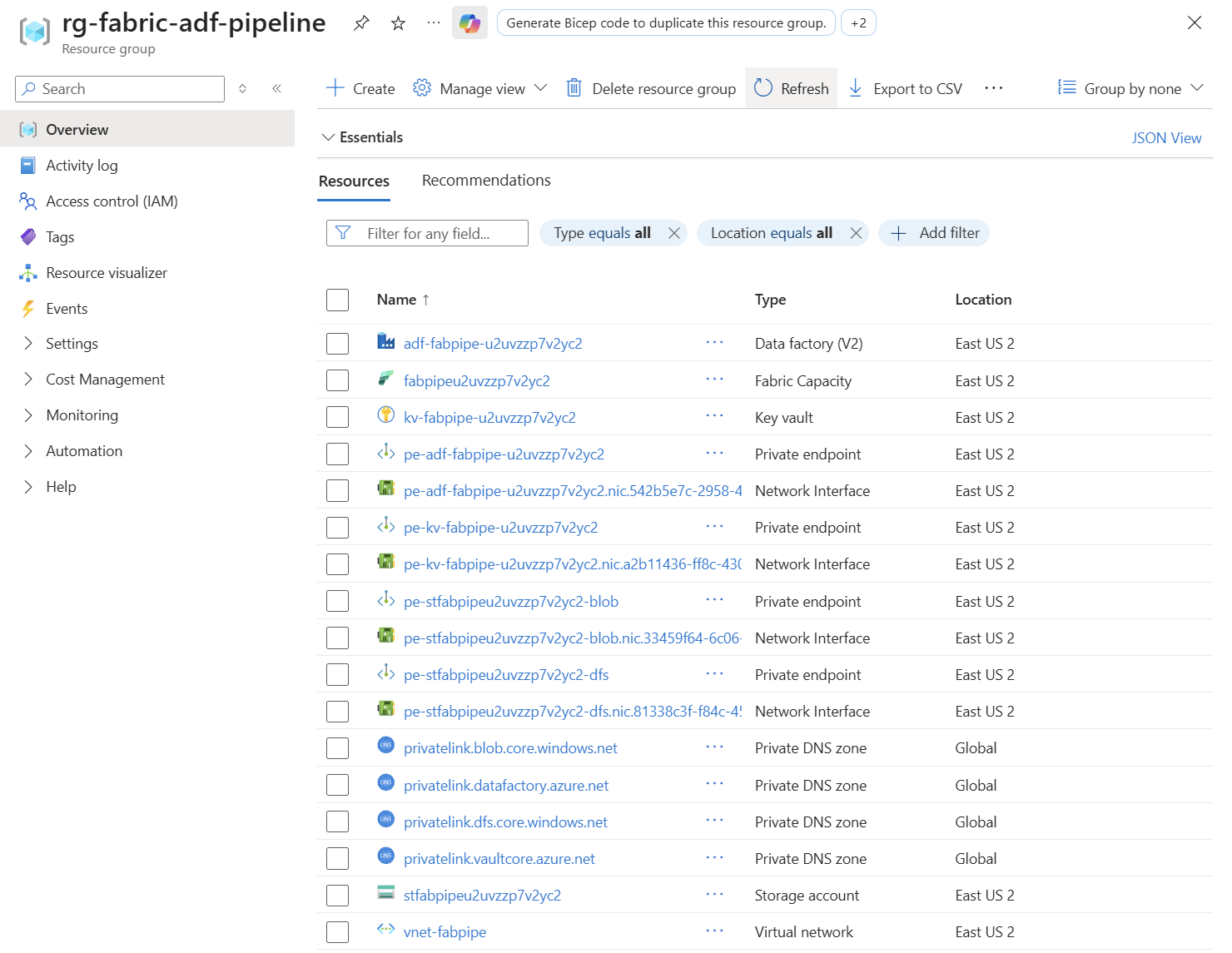
↑ Real Azure resources deployed from the generated Bicep templates
How It Works • Features • Prerequisites • Usage • Architecture
--- ## 🔄 How It Works ``` Path A: "Build me a RAG chatbot on Azure" ↓ 🎨 Design → 🔧 Bicep → ✅ Review → 🚀 Deploy Path B: "Analyze my current Azure resources" ↓ 🔍 Scan → 🎨 Modify → 🔧 Bicep → ✅ Review → 🚀 Deploy ``` | Phase | Role | What Happens | |:-----:|------|--------------| | **0** | 🔍 Scanner | Scans existing Azure resources via `az` CLI → auto-generates architecture diagram | | **1** | 🎨 Advisor | Interactive design through conversation — asks targeted questions with smart defaults | | **2** | 🔧 Generator | Produces modular Bicep: `main.bicep` + `modules/*.bicep` + `.bicepparam` | | **3** | ✅ Reviewer | Compiles with `az bicep build`, checks security & best practices | | **4** | 🚀 Deployer | `validate` → `what-if` → preview diagram → `create` (5-step mandatory sequence) | --- ## ✨ Features | | Feature | Description | |---|---------|-------------| | 📦 | **Zero Dependencies** | 605+ Azure icons bundled — no `pip install`, works offline | | 🎨 | **Interactive Diagrams** | Drag-and-drop HTML with zoom, click details, PNG export | | 🔍 | **Resource Scanning** | Analyze existing Azure infra → auto-generate architecture diagrams | | 💬 | **Natural Language** | *"It's slow"*, *"reduce costs"*, *"add security"* → guided resolution | | 📊 | **Live Verification** | API versions, SKUs, model availability fetched from MS Docs in real-time | | 🔒 | **Secure by Default** | Private Endpoints, RBAC, managed identity — no secrets in files | | ⚡ | **Parallel Preload** | Next-phase info loaded while waiting for user input | | 🌐 | **Multi-Language** | Auto-detects user language — responds in English, Korean, or any language | --- ## ⚙️ Prerequisites | Tool | Required | Install | |------|:--------:|---------| | **GitHub Copilot CLI** | ✅ | [Install guide](https://docs.github.com/copilot/concepts/agents/about-copilot-cli) | | **Azure CLI** | ✅ | `winget install Microsoft.AzureCLI` / `brew install azure-cli` | | **Python 3.10+** | ✅ | `winget install Python.Python.3.12` / `brew install python` | > No additional packages required — the diagram engine is bundled in `scripts/`. ### 🤖 Recommended Models | | Models | Notes | |---|--------|-------| | 🏆 **Best** | Claude Opus 4.5 / 4.6 | Most reliable for all 5 phases | | ✅ **Recommended** | Claude Sonnet 4.5 / 4.6 | Best cost-performance balance | | ⚠️ **Minimum** | Claude Sonnet 4, GPT-5.1+ | May skip steps in complex architectures | --- ## 🚀 Usage ### Path A — Build new infrastructure ``` "Build a RAG chatbot with Foundry and AI Search" "Create a data platform with Databricks and ADLS Gen2" "Deploy Fabric + ADF pipeline with private endpoints" "Set up a microservices architecture with AKS and Cosmos DB" ``` ### Path B — Analyze & modify existing resources ``` "Analyze my current Azure infrastructure" "Scan rg-production and show me the architecture" "What resources are in my subscription?" ``` Then modify through conversation: ``` "Add 3 VMs to this architecture" "The Foundry endpoint is slow — what can I do?" "Reduce costs — downgrade AI Search to Basic" "Add private endpoints to all services" ``` ### 📂 Output Structure ```